Showing posts with label Linux Software. Show all posts
Showing posts with label Linux Software. Show all posts
Monday, November 30, 2015
SymmetricDS 3.6.1 released with ANSI Literal default Date Values & Bug Fixes

SymmetricDS team officially announces the release of SymmetricDS 3.6.1 with minor bug fixes. The developers team also announced the shortlog for SymmetricDS 3.6.2 which soon will be released. As you know that SymmetricDS is an open source software which is used for multi-master database replication, filtered synchronization or transformation across the network in heterogeneous environment.
According to official announcement, SymmetricDS 3.6.1 comes with support for ansi literal default date values along with support for well known sql 92 function types for default values. The issue where Custom IColumnTransform weren't being marked as installed is now fixed in this release.
The Postgres is now commit ddl changes. Otherwise, if a ddl fails to run it cannot continue to move forward. The developers also reveal some of the bug fixes which might be release in next SymmetricDS 3.6.2 release. This includes resolved initial.load.create.first fails for tables with a unique index on the primary key. You might also like to check out other latest Software News to know what's new in them ?
Keep reading and stay tuned with us to get latest software news. Don't forget to subscribe us and share your reviews about this post among other readers via comments.
According to official announcement, SymmetricDS 3.6.1 comes with support for ansi literal default date values along with support for well known sql 92 function types for default values. The issue where Custom IColumnTransform weren't being marked as installed is now fixed in this release.
The Postgres is now commit ddl changes. Otherwise, if a ddl fails to run it cannot continue to move forward. The developers also reveal some of the bug fixes which might be release in next SymmetricDS 3.6.2 release. This includes resolved initial.load.create.first fails for tables with a unique index on the primary key. You might also like to check out other latest Software News to know what's new in them ?
Keep reading and stay tuned with us to get latest software news. Don't forget to subscribe us and share your reviews about this post among other readers via comments.

Wine 1.7.32 released with New Mono Engine, Improved DirectWrite & Other Fixes

Allexandre Julliard, developers at WineHQ, officially announces the release of Wine 1.7.32 with new improvements and several bugfixes of previous releases. Well this is the another maintenance release, ranked 32nd in 1.7.x series. As you know that Wine is a program which allows you to run Windows applications in Linux and Mac systems.
According to official announcement, Wine 1.7.32 comes with new version of Mono engine and improved support for restoring display mode. It also includes few more functions implemented in MSHTML, font metrics improvements in DirectWrite and several other bugfixes. The City of Heroes game which earlier doesn't run if asked to use a dual core processor is fixed in this release. You can also download the source tarball of Wine 1.7.32 to compile it on your Linux Distros.
Among other major bugfixes, Wine 1.7.32 includes fixes for 3D graphics in Chessmaster 11 which are positioned incorrectly, every extend music does not play and IE7 crashes when an active X control is called. This release also includes fixes for Windows games like Demise, Dungeon Keeper 2 game, SolidWorks 2007, Mall Tycoon 2 Deluxe, WWIIOnline, Flux Family Secrets and NFS Porsche. We have also enlisted some of the major bugfixes below in this post. You might also like to check out other latest Software News on our website.
List of Bugfixes Made in Wine 1.7.32
- Multiple applications crash on unimplemented function USER32.dll.SetGestureConfig (Solitaire from Windows 7, Illustrator CC).
- The Master Genealogist 8.xx: Can't install because Installer buttons do not work.
- Futuremark 3DMark Vantage v1.1.0 crashes on start up.
- Opera: wine uses builtin save file dialog, fails to save file.
- Visual Studio 2010 fails on startup, .NET Framework 4.0 WPF message dispatcher unexpectedly receives messages (CoWaitForMultipleHandles, COWAIT_FLAGS, message pump).
- Directory Opus 10 locks up and crashes.
- Adobe CS4 installer fails (COM class factory for CLSID_NetFwOpenPort needed).
- Cabri II Plus 1.4 fails on startup.
- Microsoft Visual Studio Test Agent 2010 Configuration Tool crash when apply settings is performed.
- Microsoft Visual Studio 2005 Tools for Applications installer crashes.
- iTunes 10.2.2 'DifXInstall32' sub-installer crashes on unimplemented function DIFXAPI.dll.SetDifxLogCallbackW.
- Open file window makes Photoshop CC crash.
- Adobe Photoshop CC file open dialog crashes the program.
- valgrind shows a leak in comdlg32/tests/printdlg.c.
- Mass Effect 3 [Origin] crash on startup (broken EA Origins in-game overlay/hook engine 'igo32.dll' needs 'opengl32.dll' prelinked < 2GB address range).
- Photoshop CC 2014 Open and Save dialog missing features.
- Set iframe's src failed.
- "We got a big error here" in Diablo 2 d2loader and wine >= 1.7.25.
These are some of the major bugfixes which are made in Wine 1.7.32 release. If you wish to check out complete list of all fixes then you must their official changelog page.
Keep reading and stay tuned with us to get latest software updates. Don't forget to subscribe us and share your reviews about this post among other readers via comments.
According to official announcement, Wine 1.7.32 comes with new version of Mono engine and improved support for restoring display mode. It also includes few more functions implemented in MSHTML, font metrics improvements in DirectWrite and several other bugfixes. The City of Heroes game which earlier doesn't run if asked to use a dual core processor is fixed in this release. You can also download the source tarball of Wine 1.7.32 to compile it on your Linux Distros.
Among other major bugfixes, Wine 1.7.32 includes fixes for 3D graphics in Chessmaster 11 which are positioned incorrectly, every extend music does not play and IE7 crashes when an active X control is called. This release also includes fixes for Windows games like Demise, Dungeon Keeper 2 game, SolidWorks 2007, Mall Tycoon 2 Deluxe, WWIIOnline, Flux Family Secrets and NFS Porsche. We have also enlisted some of the major bugfixes below in this post. You might also like to check out other latest Software News on our website.
List of Bugfixes Made in Wine 1.7.32
- Multiple applications crash on unimplemented function USER32.dll.SetGestureConfig (Solitaire from Windows 7, Illustrator CC).
- The Master Genealogist 8.xx: Can't install because Installer buttons do not work.
- Futuremark 3DMark Vantage v1.1.0 crashes on start up.
- Opera: wine uses builtin save file dialog, fails to save file.
- Visual Studio 2010 fails on startup, .NET Framework 4.0 WPF message dispatcher unexpectedly receives messages (CoWaitForMultipleHandles, COWAIT_FLAGS, message pump).
- Directory Opus 10 locks up and crashes.
- Adobe CS4 installer fails (COM class factory for CLSID_NetFwOpenPort needed).
- Cabri II Plus 1.4 fails on startup.
- Microsoft Visual Studio Test Agent 2010 Configuration Tool crash when apply settings is performed.
- Microsoft Visual Studio 2005 Tools for Applications installer crashes.
- iTunes 10.2.2 'DifXInstall32' sub-installer crashes on unimplemented function DIFXAPI.dll.SetDifxLogCallbackW.
- Open file window makes Photoshop CC crash.
- Adobe Photoshop CC file open dialog crashes the program.
- valgrind shows a leak in comdlg32/tests/printdlg.c.
- Mass Effect 3 [Origin] crash on startup (broken EA Origins in-game overlay/hook engine 'igo32.dll' needs 'opengl32.dll' prelinked < 2GB address range).
- Photoshop CC 2014 Open and Save dialog missing features.
- Set iframe's src failed.
- "We got a big error here" in Diablo 2 d2loader and wine >= 1.7.25.
These are some of the major bugfixes which are made in Wine 1.7.32 release. If you wish to check out complete list of all fixes then you must their official changelog page.
Keep reading and stay tuned with us to get latest software updates. Don't forget to subscribe us and share your reviews about this post among other readers via comments.
Sunday, November 29, 2015
Ebook Manager, Calibre 2.1 released with Kobo and HTC C Driver Support & Fixes

Calibre developers officially announces the release of Calibre 2.1 with new features and several bug fixes. The Calibre team releases a newer version frequently but few days back, the team has announces their new major 2.x series and this is the first version under 2.x series. This is one of the major release with large number of changes and improvements in Calibre software.
According to official announcement, Calibre 2.1 comes with support for new Kobo Auro H2O driver and firmware 3.8.0 along with support for HTC C driver. It also includes new tool which allows you to easily test templates. The EPUM and MOBI catalog generation also allows you to use full template language including all custom columns.
Apart from these new features, Calibre 2.1 also includes several bug fixes like fixed soft-hyphens causing rendering artifacts with some fonts due to a bug in Qt 5. The Book list feature of Calibre 2.1 receives fixed CTRL + Home/End which doesn't select first or last book. The PDF Output feature of this also includes fixed header and footer templates which was not working in Calibre 2.0. You might also like to check out other latest Software News on our website.
The Calibre 2.1 for Mac OS X includes fixed workaround for Qt 5 bug which causes popup menu on the author sort button in the edit metadata dailog to not respond if the mouse button if not released once before clicking menu entries and also fixes background jobs stealing input focus if they require the use of Qt WebKit. If you wish then you could check out complete list of all bug fixes on their official changelog page.
Keep reading and stay tuned with us to get latest software news. Don't forget to subscribe us and share your reviews about this post among other readers via comments.
Wine 1.7.21 released with Updated Unicode and Interlaced PNG Encoding Support

Wine developers officially announces the release of Wine 1.7.21 with minor new features and several bug fixes of previous releases. This is another development version under 1.7 stable series and primarily includes several bug fixes. Yoou might also like to check out other latest Software News to know what's new in software world ?
According to official announcement, Wine 1.7.21 comes with support for critical sections in the C runtime along with support for interlaced PNG encoding. This release also includes initial stub for Packager library where as the Unicode data is updated to Unicode 7.0 version.
Apart from these few new changes, Wine 1.7.21 also includes several bug fixes. The Unity Web Player 2.1.0 which doesn't show graphics in browser is fixed in this release. We have also enlisted some of the major bug fixes made in Wine 1.7.21 release. You can also download the source tarball of Wine 1.7.21 to build or compile on your Linux distros.
List of Fixed Bugs in Wine 1.7.21
- Runes of Magic menus like EULA or login doesn't appear on some graphic cards.
- Word Pro : dashed "-" in parameters not resolved in command line.
- program "Antik Virtual set-top-box" crashes at startup.
- Steam client major lag.
- NewPGen : Doesn't restore from tray.
- Smilebox cannot be installed (web update fails).
- page fault when running SoftwarePhoenix.BIOS.Editor.Pro.2.2.0.2.45094.exe.
- python's test_startfile test fails.
- Improper audio selection.
- Dragon Age Awakening/Mass Effect 2 installers crash with ntdll error.
- Unigine Heaven Benchmark 2.0 lacks shadows and smoke in Wine in d3d.
- wine iexplore browserchoice.eu is not displayed.
- AT4RE FastScanner v3.0 exe scanning bug.
- AT4RE FastScanner v3.0 UI button rectangle bug.
- Runes of Magic 3.0.x: "ClientUpdater.exe" crashes sometimes during updates on MD5 checksum processing (squirrel virtual machine).
- Free download manager "Unknow network error" without native wininet.
These are some of the major bug fixes made in Wine 1.7.21 release. If you want to check out complete list of all bug fixes made in Wine 1.7.21 release, then you must visit their official changelog page.
Keep reading and stay tuned with us to get latest software news. Don't forget to subscribe us and share your reviews about this post among other readers via comments.
According to official announcement, Wine 1.7.21 comes with support for critical sections in the C runtime along with support for interlaced PNG encoding. This release also includes initial stub for Packager library where as the Unicode data is updated to Unicode 7.0 version.
Apart from these few new changes, Wine 1.7.21 also includes several bug fixes. The Unity Web Player 2.1.0 which doesn't show graphics in browser is fixed in this release. We have also enlisted some of the major bug fixes made in Wine 1.7.21 release. You can also download the source tarball of Wine 1.7.21 to build or compile on your Linux distros.
List of Fixed Bugs in Wine 1.7.21
- Runes of Magic menus like EULA or login doesn't appear on some graphic cards.
- Word Pro : dashed "-" in parameters not resolved in command line.
- program "Antik Virtual set-top-box" crashes at startup.
- Steam client major lag.
- NewPGen : Doesn't restore from tray.
- Smilebox cannot be installed (web update fails).
- page fault when running SoftwarePhoenix.BIOS.Editor.Pro.2.2.0.2.45094.exe.
- python's test_startfile test fails.
- Improper audio selection.
- Dragon Age Awakening/Mass Effect 2 installers crash with ntdll error.
- Unigine Heaven Benchmark 2.0 lacks shadows and smoke in Wine in d3d.
- wine iexplore browserchoice.eu is not displayed.
- AT4RE FastScanner v3.0 exe scanning bug.
- AT4RE FastScanner v3.0 UI button rectangle bug.
- Runes of Magic 3.0.x: "ClientUpdater.exe" crashes sometimes during updates on MD5 checksum processing (squirrel virtual machine).
- Free download manager "Unknow network error" without native wininet.
These are some of the major bug fixes made in Wine 1.7.21 release. If you want to check out complete list of all bug fixes made in Wine 1.7.21 release, then you must visit their official changelog page.
Keep reading and stay tuned with us to get latest software news. Don't forget to subscribe us and share your reviews about this post among other readers via comments.
Kid3 Audio Tag Editor 3.1.1 released with New Updates, Improvements & Fixes

Kid3 Audio Tag Editor developers officially announces the release of Kid3 3.1.1 Tag Editor with new features and minor improvements. Kid3 is a audio tag editor which allows you to edit tags of formats like MP3, Ogg, FLAC, MPC and WMA files. It also have control over ID3v1 and ID3v2 tags.
According to official announcement, Kid3 3.1.1 Editor comes with timeout command in kid3-cli to overwrite command timeout and build option WITH_NO_MANCOMPRESS to disable gzipped manpages. It also includes validation for date/time, track and disc number frames and also drop the dock icon on Mac OS X.
Among improvements, Kid3 3.1.1 includes updated Czech translations and shows picture type in frame table. It also includes support for drag and drop from https and ftp. It allows you to import from file/clipboard with empty date fields and handles RPATH to private libraries. The Preferences, Quit and About options are included in application menu and also added AppData and comment in desktop file for GNOME software. You can also download the source tarball of Kid3 Audio Tag Editor 3.1.1 for your Linux Distros.
This release also includes several fixes like setting of POPM frames using kid3-cli and removing of COMM, PRIV, TXXX, free form frames. On Mac OS X, Kid3 3.1.1 supports case sensitive filesystems and also fixes drag and drop on OS X 10.10 Yosemite Preview. It restores Ogg files if writing fails and format while editing for tag 2. You might also like to check out other latest Software News on our website.
Keep reading and stay tuned with us to get latest software news. Don't forget to subscribe us and share your reviews about this post among other readers via comments.
GNOME 3.13.4 released with Improved Shell, GNOME Control Center & Tracker

Javier Jardon, developer at GNOME development community, officially announces the release of GNOME 3.13.4 desktop environment with new features and minor fixes. As you know that this a development version, so you may find any issues while using it on your system. This release is from Strasburg and for GUADEC.
According to official announcement, GNOME 3.13.4 comes with improvements in GNOME Shell, GNOME Control Center, GNOME Tracker and other new features. This release also includes updated core apps such as Network Manager, adwaita-icon-theme, atk, baobab, clutter, cogl, dconf, Eye of GNOME, gdk-pixbuf, gnome-control-center and gnome-desktop.
Apart from core app updates, this release also includes some updated applications such as bijiben, cheese, devhelp, evolution, file-roller, four-in-a-row, gedit, gnome-boxes, gnome-weather, iagno, rygel, tali, vinagre and gnome-maps. You might also like to check out other latest Software News on our website.
Keep reading and stay tuned with us to get latest software news. Don't forget to subscribe us and share your reviews about this post among other readers via comments.
According to official announcement, GNOME 3.13.4 comes with improvements in GNOME Shell, GNOME Control Center, GNOME Tracker and other new features. This release also includes updated core apps such as Network Manager, adwaita-icon-theme, atk, baobab, clutter, cogl, dconf, Eye of GNOME, gdk-pixbuf, gnome-control-center and gnome-desktop.
Apart from core app updates, this release also includes some updated applications such as bijiben, cheese, devhelp, evolution, file-roller, four-in-a-row, gedit, gnome-boxes, gnome-weather, iagno, rygel, tali, vinagre and gnome-maps. You might also like to check out other latest Software News on our website.
Keep reading and stay tuned with us to get latest software news. Don't forget to subscribe us and share your reviews about this post among other readers via comments.
Saturday, November 28, 2015
Linus Torvalds announces Kernel 3.16 RC7 as second last RC with minor Bug Fixes

Linus Torvalds officially announces the release of Linux Kernel 3.16 RC7 with new changes and bug fixes. This time during the release of Linux Kernel 3.16 RC7, Linus is quite happy with this release as you know that he was upset about the release of Kernel 3.16 RC6 which he considered as one of the worst candidate under 3.16 kernel series.
According to official announcement, Linus Torvalds charmingly state that "I'm happy to say that things have calmed down a bit, and things look to be on track. Which didn't actually seem to be the case at all earlier this week - we had what appeared to be really nasty core bugs, and together with rc6 being bigger than previous rc's, I was really not feeling all that good about this release there for a while".
He describe that the worst and nasty bugs are cleared up in this release. One of the major highlighted fixes of this release candidate is fixing the compiler issue which is one of the scary and hard to debug. This compiler issue has fairly simple workaround so that developers didn't end up as a blacklist compilers. Also, review recent Kernel News to know what's new for Kernel developers ?
The Kernel 3.16 RC7 includes various bug fixes, but doesn't includes any special new feature which might entice to Linux users. The RC7 is one of the smaller candidate if you compared it with previous RCs. Linus state that, this might be the last RC but lets hope what happen in next week. The RC7 is about one third arch, one third drivers and one third "random". You might also like to check out other latest Software News on our website.
Keep reading and stay tuned with us to get latest software news. Don't forget to subscribe us and share your reviews about this post among other readers via comments.
According to official announcement, Linus Torvalds charmingly state that "I'm happy to say that things have calmed down a bit, and things look to be on track. Which didn't actually seem to be the case at all earlier this week - we had what appeared to be really nasty core bugs, and together with rc6 being bigger than previous rc's, I was really not feeling all that good about this release there for a while".
He describe that the worst and nasty bugs are cleared up in this release. One of the major highlighted fixes of this release candidate is fixing the compiler issue which is one of the scary and hard to debug. This compiler issue has fairly simple workaround so that developers didn't end up as a blacklist compilers. Also, review recent Kernel News to know what's new for Kernel developers ?
The Kernel 3.16 RC7 includes various bug fixes, but doesn't includes any special new feature which might entice to Linux users. The RC7 is one of the smaller candidate if you compared it with previous RCs. Linus state that, this might be the last RC but lets hope what happen in next week. The RC7 is about one third arch, one third drivers and one third "random". You might also like to check out other latest Software News on our website.
Keep reading and stay tuned with us to get latest software news. Don't forget to subscribe us and share your reviews about this post among other readers via comments.
FFmpeg 2.4.1 "Fresnel" released with Updated Libraries & Bugfixes

FFmpeg developers officially announces the release of FFmpeg 2.4.1 codenamed "Fresnel" with new features and bug fixes. As you know that two months ago, FFmpeg 2.3 was released and now they have released with minor improvements. As you all know that FFmpeg is a popular audio/video recorder, converter and streamer.
According to official announcement, FFmpeg 2.4.1 "Fresnel" comes with major version bump of libraries which means that this release of neither ABI-compatible nor fully API compatible. This release is aligned with the Libnav 11 release series and will as a result probably end up being maintained for a long time. Some of the new features are added in libavformat, libavfilter and libavutil.
There are lot of changes made in API since FFmpeg 2.3 release which includes removal of few deprecated functions, making of avfilter_graph_parse function compatible with Libnav, Matroska demuxer outputs verbatim ASS packets and addition of new field mime_type in AVProbeData which causes crashes if not initialized.
The updated libavformat comes with support for Icecast protocol along with support for H.261 RTP payload format. It also includes API for live metadata updates through event, UTF-16 support in text subtitles formats, ASS muxer now reorders the Dialogue events properly and HEVC/H.265 RTP payload format.
Among other changes, the libavfilter comes with addition of silenceremove filter, addition of codecview filter to visualize information exported by some codecs and large optimizations in dctdnoiz to make it usable. You might also like to check out other latest Software News on our website.
Keep reading and stay tuned with us to get latest software updates. Don't forget to subscribe us and share your reviews about this post among other readers via comments.
According to official announcement, FFmpeg 2.4.1 "Fresnel" comes with major version bump of libraries which means that this release of neither ABI-compatible nor fully API compatible. This release is aligned with the Libnav 11 release series and will as a result probably end up being maintained for a long time. Some of the new features are added in libavformat, libavfilter and libavutil.
There are lot of changes made in API since FFmpeg 2.3 release which includes removal of few deprecated functions, making of avfilter_graph_parse function compatible with Libnav, Matroska demuxer outputs verbatim ASS packets and addition of new field mime_type in AVProbeData which causes crashes if not initialized.
The updated libavformat comes with support for Icecast protocol along with support for H.261 RTP payload format. It also includes API for live metadata updates through event, UTF-16 support in text subtitles formats, ASS muxer now reorders the Dialogue events properly and HEVC/H.265 RTP payload format.
Among other changes, the libavfilter comes with addition of silenceremove filter, addition of codecview filter to visualize information exported by some codecs and large optimizations in dctdnoiz to make it usable. You might also like to check out other latest Software News on our website.
Keep reading and stay tuned with us to get latest software updates. Don't forget to subscribe us and share your reviews about this post among other readers via comments.
Evolution 3.13.4 officially available for Testing with several Bug Fixes

Evolution development team officially announces the release of Evolution 3.13.4 with huge number of bug fixes. As you know that Evolution is personal information assistant which provides integrated mail service, address book and calendering service. This update released with several bug fixes and is available only for testing purposes.
According to official announcement, Evolution 3.13.4 comes with several bug fixes. It allows multiple folder selection when creating send account overrides. It inserts quote symbols before HTML element when it has no previous siblings. It preserves spaces and create anchors for the links in the text after the last BR element. Also, review how to install Evolution on Ubuntu & Linux Mint ?
According to official announcement, Evolution 3.13.4 comes with several bug fixes. It allows multiple folder selection when creating send account overrides. It inserts quote symbols before HTML element when it has no previous siblings. It preserves spaces and create anchors for the links in the text after the last BR element. Also, review how to install Evolution on Ubuntu & Linux Mint ?
This release correctly replace tabulators with spaces and also generate new lines into plain text version even when paragraph has no children. It introduce functions to register/remove the HTML "input" event on body. It removes our attributes from blockquotes when generating the HTML version of the message. You might also like to check out other latest Software News on our website.
List of Bug Fixes Made in Evolution 3.13.4
- Automatically mark message as read sometimes doesn't work (take 2).
- alloca.h in e-util/e-color-combo.c is not needed.
- data/evolution.appdata.xml is not git-ignored.
- Small calendar print doesn't follow week-start-day option.
- Crash under process_elements() at e-html-editor-view.c:5004.
- Make Evolution build under Win32.
- Composer paste issues.
- Backspace removes too much when editing quotation.
- Splitting quoted part changes clipboard content.
- Scale-down contact images in message preview.
- Paste can select following text.
- Cannot split quotation after an empty line.
These are some of the major bug fixes which are made in Evolution 3.13.4 release. If you wish to check out complete list of bug fixes then you must visit their official changelog page.
Keep reading and stay tuned with us to get latest software news. Don't forget to subscribe us and share your reviews about this post among other readers via comments.
List of Bug Fixes Made in Evolution 3.13.4
- Automatically mark message as read sometimes doesn't work (take 2).
- alloca.h in e-util/e-color-combo.c is not needed.
- data/evolution.appdata.xml is not git-ignored.
- Small calendar print doesn't follow week-start-day option.
- Crash under process_elements() at e-html-editor-view.c:5004.
- Make Evolution build under Win32.
- Composer paste issues.
- Backspace removes too much when editing quotation.
- Splitting quoted part changes clipboard content.
- Scale-down contact images in message preview.
- Paste can select following text.
- Cannot split quotation after an empty line.
These are some of the major bug fixes which are made in Evolution 3.13.4 release. If you wish to check out complete list of bug fixes then you must visit their official changelog page.
Keep reading and stay tuned with us to get latest software news. Don't forget to subscribe us and share your reviews about this post among other readers via comments.
How to Install Shutter 0.93 (Screenshot Tool) via PPA on Ubuntu & Linux Mint

Shutter is a popular screenshot application which allows you to take a screenshot of specific area, window, your whole screen or even a website. It is used to capture specific area, desktop, window, menu or tooltip. You can also add text, arrows, rectangles, ellipses, crop and auto-increment shape.
In today's HowTo Tutorial, we will discuss how to install Shutter 0.93 using PPA on Ubuntu 14.04, Kubuntu, Xubuntu, Linux Mint and other PPA based Linux Distros. You might also like to check out other latest Software News on our website.
Step Wise Installation of Shutter 0.93 (Screenshot Tool) using PPA on Ubuntu, Kubuntu, Xubuntu, Linux Mint and other PPA based Linux Distros
Step 1 : Before beginning the installation, Open the terminal and run or copy the following command in terminal to add PPA for Shutter 0.93 on your PPA based Linux Distros.
In today's HowTo Tutorial, we will discuss how to install Shutter 0.93 using PPA on Ubuntu 14.04, Kubuntu, Xubuntu, Linux Mint and other PPA based Linux Distros. You might also like to check out other latest Software News on our website.
Step Wise Installation of Shutter 0.93 (Screenshot Tool) using PPA on Ubuntu, Kubuntu, Xubuntu, Linux Mint and other PPA based Linux Distros
Step 1 : Before beginning the installation, Open the terminal and run or copy the following command in terminal to add PPA for Shutter 0.93 on your PPA based Linux Distros.
$ sudo add-apt-repository ppa:shutter/ppa
Step 2 : Next, run or copy the following command in terminal to update recently add PPA for Shutter 0.93 in the software repository on your PPA based Linux Distros.
$ sudo apt-get update
Step 3 : Finally, run or copy the following command in terminal to install latest stable Shutter 0.93 on your PPA based Linux Distros.
$ sudo apt-get install shutter
After installation, search "Shutter" either in Unity Dash or in Application menu. You can take the screenshots with the help of Shutter app on your system.
Keep reading and stay tuned withs us to get latest software news. Don't forget to subscribe us and share your reviews about this post among other readers via comments.
Keep reading and stay tuned withs us to get latest software news. Don't forget to subscribe us and share your reviews about this post among other readers via comments.
Friday, November 27, 2015
LibreOffice 4.3.2 available on 4th Anniversary of Document Foundation

The Document Foundation officially announces the release of LibreOffice 4.3.2 just before the forth anniversary of LibreOffice software. Well this is the second minor release under LibreOffice 4.3.x "fresh" family and comes with fixes of issues which were reported since previous release.
According to official announcement, LibreOffice 4.3.2 comes with over 80 fixes which primarily focused on interoperability issues when reading or writing Microsoft Office DOCX, XLSX and PPTX files. Today, LibreOffice celebrates its forth anniversary with the release of LibreOffice 4.3.2 version. Also, review how to install LibreOffice on Ubuntu and Linux Mint ?
The Document Foundation has been growing for the past 48 months by attracting at least three new developers per month plus a larger number of volunteers active in localization, QA and other areas such as marketing and development of local communities. This release is now available for all platforms including Windows, Linux and Mac OS. You might also like to check out other latest Software News to know what's new for various platforms.
Download LibreOffice 4.3.2 "Fresh" for Linux Distro
Keep reading and stay tuned with us to get latest software updates. Don't forget to subscribe us and share your reviews about this post among other readers via comments.
Thursday, November 26, 2015
Video Editor, LiVES 2.2.6 released with Freenect Camera Support & Bug Fixes

LiVES developers officially announces the release of LiVES 2.2.6 Video Editor with minor changes and bug fixes. As you know that LiVES is a simple and powerful video editor and VJ tool which allows its users to combine realtime and rendered effects, streams and multiple video/audio files and then encode them to over 50 different formats.
According to official announcement, LiVES 2.2.6 Video Editor comes with support for freenect camera along with minor code cleanups. This release includes fix startup regression bug which creates config file incorrect. It also fixes Libav compatibility and updates for gtk+>=3.10.0. It shows warning when configuration with gtk+ 3.10.x done. You might also like to check out latest Software News on our website.
LiVES is also considered as VJ tool because it is fully extendable through open standard RFX plugin scripts. It allows you to start editing and making video right away without worrying about formats, frame sizes or framerates. This program is especially designed for digital video artists who wants to create their own content and professional looking video. Also, check how to install LiVES Video Editor on Ubuntu and Linux Mint ?
Keep reading and stay tuned with us to get latest software news. Don't forget to subscribe us and share your reviews about this post among other readers via comments.
According to official announcement, LiVES 2.2.6 Video Editor comes with support for freenect camera along with minor code cleanups. This release includes fix startup regression bug which creates config file incorrect. It also fixes Libav compatibility and updates for gtk+>=3.10.0. It shows warning when configuration with gtk+ 3.10.x done. You might also like to check out latest Software News on our website.
LiVES is also considered as VJ tool because it is fully extendable through open standard RFX plugin scripts. It allows you to start editing and making video right away without worrying about formats, frame sizes or framerates. This program is especially designed for digital video artists who wants to create their own content and professional looking video. Also, check how to install LiVES Video Editor on Ubuntu and Linux Mint ?
Keep reading and stay tuned with us to get latest software news. Don't forget to subscribe us and share your reviews about this post among other readers via comments.
GIMP 2.8.12 released with Jenkins Tutorials and Fixes for Core, GUI, Plugins
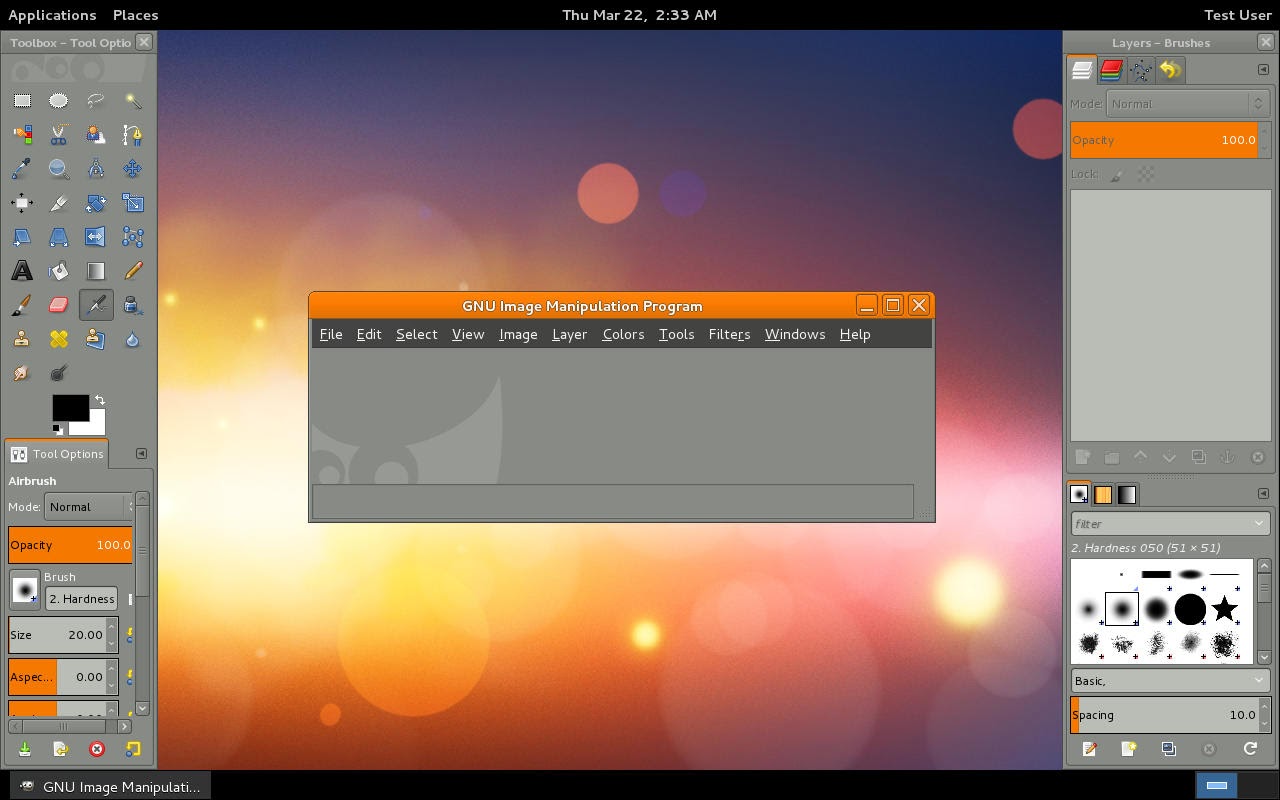
GIMP development team officially announces the release of GIMP 2.8.12 with new changes in core, GUI, Libgimp, Plug-ins and other minor bug fixes. As you all know that GIMP is a popular image manipulation program which allows you to edit, retouch, resize images.
According to official announcement, GIMP 2.8.12 comes with Jenkins tutorials along with few updates in documentation and translations. It includes fixed brush sizes while using from plug-ins and makes XCF loading more robust against broken files. GIMP for Windows allows to explorer-open files with UTF-8 characters in the filename.
The graphical user interface of GIMP 2.8.12 removes the option to disable the warning when closing a modified image. It make sure that the widget direction matches the GUI language. It also fixes canvas overlay widgets for tablets along with working of DND between images in one dockable. Also, check out how to install GIMP 2.8.12 using PPA on Ubuntu and Linux Mint ?
GIMP 2.8.12 makes script-fu-server more secure by listening to 127.0.0.1 by default and add a warning about changing that IP. This breaks the procedure's API, but for security reasons. It also brings back proper script-fu translations. It also makes gimp_image_get_name() return the string used for image title. You might also like to check out other latest Software News on our website.
Keep reading and stay tuned with us to get latest software news. Don't forget to subscribe us and share your reviews about this post among other readers via comments.
Wednesday, November 25, 2015
Wine 1.7.25 released with Minor Bug Fixes for Windows Games and Apps

Wine developers officially announces the release of Wine 1.7.25 with minor improvements and bug fixes. This release is a maintenance release which primarily includes bug fixes which were reported since last release. It mainly contains fixes for apps and games which Windows support but creates problems while using them on Linux or Mac machines.
According to official announcement, Wine 1.7.25 comes with few more DirectWrite functions along with improvements in HTML table support. It also includes implementation of packet capture library and more VBScript math functions. The developers continously working to Windows games to be compatible with Linux distros. You can also download the source tarball of Wine 1.7.25 for your Linux Distros.
This release includes bug fixes for several Windows games like Medieval Total War, Space Empires V, Irfanview, ZENcast Organizer, Skype 3.5, Thief Deadly Shadows and JFlothows. We have enlisted below some of the major bug fixes which may notice in this release. You might also like to check out other latest Software News on our website.
List of Bug Fixes Made in Wine 1.7.25
- Registering after installing Roblox doesn't work.
- KeePass 1.09 crashes opening password database due to unimplemented bcrypt.dll.BCryptOpenAlgorithmProvider.
- Crash in Tales of Monkey Island.
- Python 2.6/2.7 crashes during run of 'PyInstaller' packaging application.
- CDBurnerXP 4.0.x exits with Wine-Mono when trying to enter data disc mode (needs COM/ActiveX host support).
- Bonzai3D crashes and freezes when project window is moved.
- OriginPro 8.0 crashes on startup.
- Some objects in Source games are black.
- Explorer++ doesn't open command prompt windows properly.
- World of Warcraft: crashes several seconds after logging in to a character.
- Mario Forever 5.0.1: fails to start.
- riched20/editor tests show a ton of valgrind warnings.
- riched20/tests/editor.ok: TRACE() of uninitialized value triggered by test_word_movement()?
- WebGallery 1.x: search throws access violation (XML document labelled UTF-16 but has UTF-8 content).
- Microshop 2.0 (.NET 2.0 app using System.Transactions) wants ole32 CoGetDefaultContext.
- Open General: corrupted tiles on the map.
- File path passed to linux application by winebrowser is mangled if it contains international characters.
- Magic MP3 Tagger crashes after adding a file.
- Project I.G.I: crashes when starting game.
- mshtml:htmldoc fails on most Windows systems.
- UltraVNC 1.1.9.6 installer fails.
These are some of the major bug fixes which you may notice while using Wine 1.7.25 on your machine. If you wish to check out complete list of all fixes then you must visit their official changelog page.
Keep reading and stay tuned with us to get latest software news. Don't forget to subscribe us and share your reviews about this post among other readers via comments.
According to official announcement, Wine 1.7.25 comes with few more DirectWrite functions along with improvements in HTML table support. It also includes implementation of packet capture library and more VBScript math functions. The developers continously working to Windows games to be compatible with Linux distros. You can also download the source tarball of Wine 1.7.25 for your Linux Distros.
This release includes bug fixes for several Windows games like Medieval Total War, Space Empires V, Irfanview, ZENcast Organizer, Skype 3.5, Thief Deadly Shadows and JFlothows. We have enlisted below some of the major bug fixes which may notice in this release. You might also like to check out other latest Software News on our website.
List of Bug Fixes Made in Wine 1.7.25
- Registering after installing Roblox doesn't work.
- KeePass 1.09 crashes opening password database due to unimplemented bcrypt.dll.BCryptOpenAlgorithmProvider.
- Crash in Tales of Monkey Island.
- Python 2.6/2.7 crashes during run of 'PyInstaller' packaging application.
- CDBurnerXP 4.0.x exits with Wine-Mono when trying to enter data disc mode (needs COM/ActiveX host support).
- Bonzai3D crashes and freezes when project window is moved.
- OriginPro 8.0 crashes on startup.
- Some objects in Source games are black.
- Explorer++ doesn't open command prompt windows properly.
- World of Warcraft: crashes several seconds after logging in to a character.
- Mario Forever 5.0.1: fails to start.
- riched20/editor tests show a ton of valgrind warnings.
- riched20/tests/editor.ok: TRACE() of uninitialized value triggered by test_word_movement()?
- WebGallery 1.x: search throws access violation (XML document labelled UTF-16 but has UTF-8 content).
- Microshop 2.0 (.NET 2.0 app using System.Transactions) wants ole32 CoGetDefaultContext.
- Open General: corrupted tiles on the map.
- File path passed to linux application by winebrowser is mangled if it contains international characters.
- Magic MP3 Tagger crashes after adding a file.
- Project I.G.I: crashes when starting game.
- mshtml:htmldoc fails on most Windows systems.
- UltraVNC 1.1.9.6 installer fails.
These are some of the major bug fixes which you may notice while using Wine 1.7.25 on your machine. If you wish to check out complete list of all fixes then you must visit their official changelog page.
Keep reading and stay tuned with us to get latest software news. Don't forget to subscribe us and share your reviews about this post among other readers via comments.
Code Editor, Light Table 0.7.0 gets Node WebKit Support & Numerous Fixes

Light Table developers officially announces the release of Light Table 0.7.0 with new features and fixes. Well this is the stable release where as Light Table 0.7.2 and 0.7.1 are development release. From this release, Light Table moved to MIT License and removes plugin server and use Gitghub as plugin-metadata repository.
According to official announcement, Light Table 0.7.0 comes with latest node-webkit which is able to track nw's progress directly since the menu changes made it upstream. All the plugin metadata is now hosted on github which means asking to remove/rename/change urls etc for plugins is just a matter of sending a PR.
The developers also changed the syntax of behavior and keymap files to make them much easier to both read and share. The users have no more hunt down the right place to paster some behavior you've copied from someone else. Apart from these changes, this release also includes fixes like fixed CodeMirror search failing with RegExp. You might also like to check out other latest Software News to know what's new in them ?
Other miscellaneous changes and fixes includes addition of new flat syntax for behaviors and keymaps which allows much better copying and pasting. It allows custom colors for rainbow parens, download via https, note hotkeys for OSX, jump stack fixes. To review rest of the fixes, you must visit their official changelog page.
Keep reading and stay tuned with us to get latest software updates. Don't forget to subscribe us and share your reviews about this post among other readers via comments.
According to official announcement, Light Table 0.7.0 comes with latest node-webkit which is able to track nw's progress directly since the menu changes made it upstream. All the plugin metadata is now hosted on github which means asking to remove/rename/change urls etc for plugins is just a matter of sending a PR.
The developers also changed the syntax of behavior and keymap files to make them much easier to both read and share. The users have no more hunt down the right place to paster some behavior you've copied from someone else. Apart from these changes, this release also includes fixes like fixed CodeMirror search failing with RegExp. You might also like to check out other latest Software News to know what's new in them ?
Other miscellaneous changes and fixes includes addition of new flat syntax for behaviors and keymaps which allows much better copying and pasting. It allows custom colors for rainbow parens, download via https, note hotkeys for OSX, jump stack fixes. To review rest of the fixes, you must visit their official changelog page.
Keep reading and stay tuned with us to get latest software updates. Don't forget to subscribe us and share your reviews about this post among other readers via comments.
Tuesday, November 24, 2015
X.Org Server 1.16.1 released with Minor Bug Fixes & Improvements

Julien Cristua, developer at Debian, officially announces the release of X.Org Server 1.16.1 with several bug fixes and improvements. The X.Org Server is basically an implementation of X Window System which includes display server along with client libraries like Xlib and XCB.
According to official announcement, X.Org Server 1.16.1 comes with support for turning off "Displays have separate Spaces" on OS X Mavericks has been improved along with fixed crash regression in mieqProcessDeviceEvent. The resets from this release are removed because they were intended to be for hotplugging connections. You can also download the source tarball of X.Org Server 1.16.1 for your Linux distro.
The problem which causes temp picture coordinates in glamor_composite_clipped_region also fixed in this release. Among other fixes, X.Org Server 1.16.1 also includes support for fallback to first platform device as primary, non-PCI devices are allowed as primary and drm.xml are now always included in tarballs. You might also like to check out other latest Software News on our website.
Keep reading and stay tuned with us to get latest software news. Don't forget to subscribe us and share your reviews about this post among other readers via comments.
Image Viewer, Shotwell 0.19.0 gets Rajce.net Support & Gallery 3 Photo Services

Yorba developers officially announces the release of Shotwell 0.19.0 (Image Viewer) with new changes and bug fixes. The Yorba developers recently updated their Geary and Shotwell project with new features and their corresponding PPAs are also updated.
According to official announcement, Shotwell 0.19.0 comes with support for Rajce.net along with addition of Gallery 3 photo services. This release includes better detection of corrupt images during import. It also allows you to set background image for lock screen and few updated translations. Apart from this, it also includes minor bug fixes.
Like other image viewers, Shotwell is very popular among Linux users and currently is part of default image viewer for elementary OS. This application by default works on all GNOME based desktops. You might also like to check out other latest Software News on our website.
Keep reading and stay tuned with us to get latest software news. Don't forget to subscribe us and share your reviews about this post among other readers via comments.
Mozilla Thunderbird 31.0 (Mail Client) released with Number of Bug Fixes

Mozilla Thunderbird community officially announces the release of Mozilla Thunderbird 31.0 with several bug fixes. After a long span, the community announce this release with number of bug fixes. This release primarily includes fixes so if someone expecting new features then they might get disappointed with this release.
According to official announcement, Mozilla Thunderbird 31.0 comes with fixes CSS variables and opening a message, feed or newsgroup message in a tab results in an empty transparent tab. This release makes nsMessengerWinIntegration.cpp compile with frozon linkage and also fixes signed/unsigned compiler warnings in mailnews.
Other major bug fixes includes selecting spans of different color in HTML message compose produces CSS warning, instantly get and use favicon for feed after importing feeds from opml file or adding single feed, Address Book quick search for strings with round brackets fails. You might also like to check out other latest Software News on our website.
List of Bug Fixes Made in Thunderbird 31.0
- Expose remote content per-host privileges,
- Composition's recipient autocomplete does not / fails to show all matching address book entries.
- Show favicon next to RSS/Atom feeds.
- Directed messages should be able to hook into system prompts/give notifications.
- Build Thunderbird with frozen linkage / external API - Windows fixes.
- Provide a non-rdf way to go from a URI to a msgFolder.
- Followup fix for Bug 955869.
- Move UTF-7 decoder/encoder to comm-central.
- Hovering over a separated toolbar button hides the separator even in its disabled state.
- Filelink: YouSendIt is now Hightail.
These are some of the fixes which are made in Mozilla Thunderbird 31.0 mail client. If you wish to review complete list of all fixes then you must visit their official changelog page.
Keep reading and stay tuned with us to get latest software news. Don't forget to subscribe us and share your reviews about this post among other readers via comments.
According to official announcement, Mozilla Thunderbird 31.0 comes with fixes CSS variables and opening a message, feed or newsgroup message in a tab results in an empty transparent tab. This release makes nsMessengerWinIntegration.cpp compile with frozon linkage and also fixes signed/unsigned compiler warnings in mailnews.
Other major bug fixes includes selecting spans of different color in HTML message compose produces CSS warning, instantly get and use favicon for feed after importing feeds from opml file or adding single feed, Address Book quick search for strings with round brackets fails. You might also like to check out other latest Software News on our website.
List of Bug Fixes Made in Thunderbird 31.0
- Expose remote content per-host privileges,
- Composition's recipient autocomplete does not / fails to show all matching address book entries.
- Show favicon next to RSS/Atom feeds.
- Directed messages should be able to hook into system prompts/give notifications.
- Build Thunderbird with frozen linkage / external API - Windows fixes.
- Provide a non-rdf way to go from a URI to a msgFolder.
- Followup fix for Bug 955869.
- Move UTF-7 decoder/encoder to comm-central.
- Hovering over a separated toolbar button hides the separator even in its disabled state.
- Filelink: YouSendIt is now Hightail.
These are some of the fixes which are made in Mozilla Thunderbird 31.0 mail client. If you wish to review complete list of all fixes then you must visit their official changelog page.
Keep reading and stay tuned with us to get latest software news. Don't forget to subscribe us and share your reviews about this post among other readers via comments.
Ubuntu developers releases Updated NSS Libraries and Netflix Support

Ubuntu developers officially announces the release of updated NSS library which includes Netflix support in Ubuntu and its derivatives. The NSS basically stands for Network Security Service library. All the Netflix users must upgrade their NSS libraries from repository, so recent updates will be implemented in your exsiting Netflix program.
According to official announcement, the NSS libraries are officially updated with minor security fixes. Well this updated NSS libraries now fixes security issues for Ubuntu 14.04 LTS, Ubuntu 12.04 LTS and Ubuntu 10.04 LTS distros. One of the Ubuntu developer, Marc Deslauriers, made these updates in NSS libraries.
The NSS is updated to refresh the CA certificates bundle as it contains outdated CA certificates. This updated NSS refreshes the NSS package to vesion 3.17 which includes latest CA certificate bundles. After upgrading your NSS libraries, check for issues and report them to Ubuntu community. You might also like to check out other latest Software News on our website.
Keep reading and stay tuned with us to get latest software news. Don't forget to subscribe us and share your reviews about this post among other readers via comments.
Monday, November 23, 2015
Antivirus Engine, ClamAV 0.98.5 released with XDP Support & Security Fixes

ClamAV developers officially announces the release of ClamAV 0.98.5 with new features for collecting and analyzing file properties. As you know that lot of Software developers and Software analysts collect file property meta data using ClamAV API for subsequent analysis by ClamAV bytecode programs. The ClamAV is an open source antivirus engine which is used for detecting trojans, viruses, malware and any other threats whihc might cause danger to your system.
According to official announcement, ClamAV 0.98.5 comes with support for XDP file format and extracting, decoding and scanning PDF files within XDP files. This release includes enhancements to clambc command line utility to assist ClamAV bytecode signature authors by providing introspection into compiled bytecode programs along with improved detection of malicious PE files.
The ClamAV 0.98.5 also includes security fix for ClamAV crash when using 'clamscan -a' along with security fix for ClamAV crash when scanning maliciously crafted yoda's crypter files. This release now works with OpenSSL in FIPS compliant mode. You might also like to check out other latest Software News on our website.
Keep reading and stay tuned with us to get latest software updates. Don't forget to subscribe us and share your reviews about this post among other readers via comments.
According to official announcement, ClamAV 0.98.5 comes with support for XDP file format and extracting, decoding and scanning PDF files within XDP files. This release includes enhancements to clambc command line utility to assist ClamAV bytecode signature authors by providing introspection into compiled bytecode programs along with improved detection of malicious PE files.
The ClamAV 0.98.5 also includes security fix for ClamAV crash when using 'clamscan -a' along with security fix for ClamAV crash when scanning maliciously crafted yoda's crypter files. This release now works with OpenSSL in FIPS compliant mode. You might also like to check out other latest Software News on our website.
Keep reading and stay tuned with us to get latest software updates. Don't forget to subscribe us and share your reviews about this post among other readers via comments.
Subscribe to:
Posts (Atom)